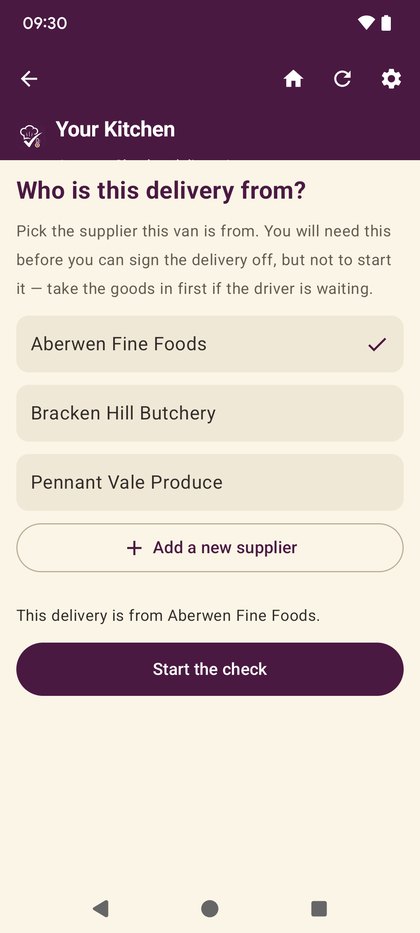
Say who it came from
Pick the supplier from the list, or add a new one on the spot if you have the right to. If you do not, you can still take the delivery — you just pick from what is there.
You are not blocked from starting without one. That is deliberate: a form at six in the morning with a driver waiting is how paperwork gets skipped. The question comes back at sign-off, and that is where it is enforced.
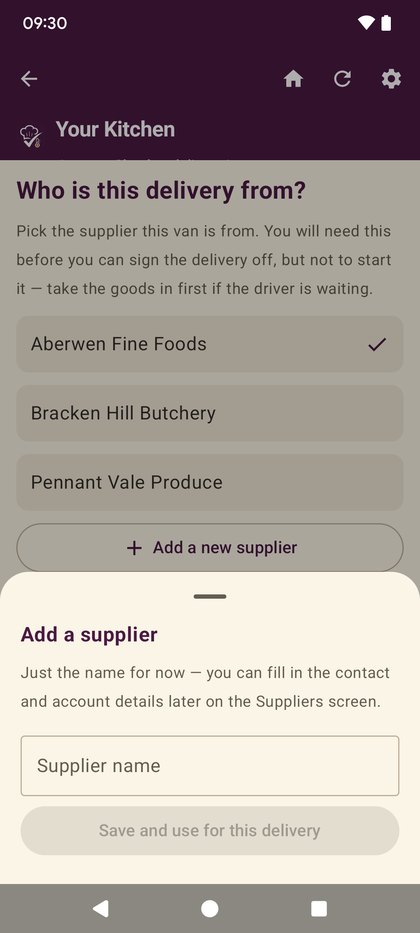
Adding a supplier you have not used before
Name, contact, phone, email and account number. It joins your supplier list, so the next delivery from them is two taps.
If your role does not allow adding suppliers, this button is not shown rather than shown and refused.
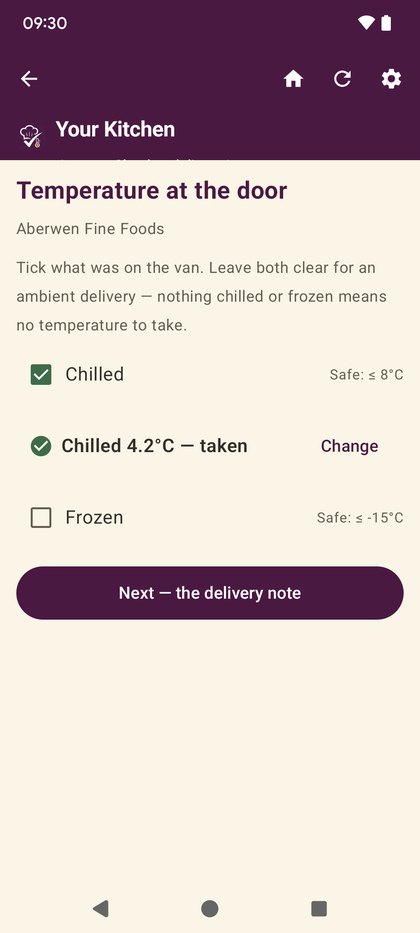
Take the temperature first
One reading, straight into your food-safety record. This step is on the free plan on its own, because a delivery temperature is due-diligence evidence and withholding it behind a subscription would be indefensible.
The card reads the value back to you before you move on, so a slipped decimal point is caught while the driver is still there.
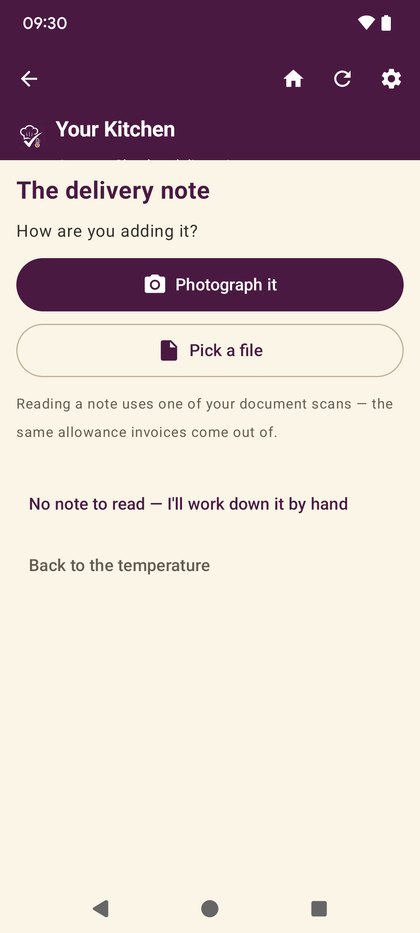
Photograph the delivery note
The paper note, kept with the record. If the invoice arrives later and disagrees with what turned up, this is what settles it.
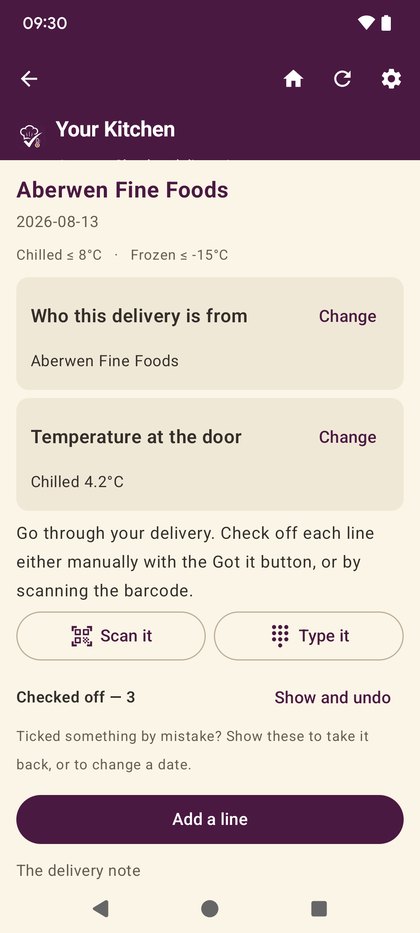
Work the list, line by line
Everything on the note, one row each. Tick what arrived, say what did not, and record short, damaged or rejected items as you go rather than remembering them afterwards.
Scanning a barcode ticks the matching line through the same route as tapping it — and if two lines are the same ingredient, it will not guess between them.
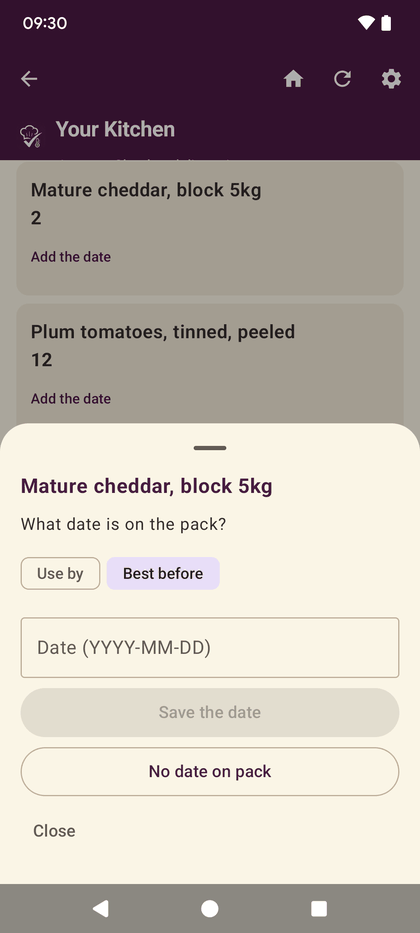
The date on the pack — and which kind it is
Use by is a food-safety date. Best before is a quality date. An inspector reads them differently, so the app will not file one as the other, and it will not guess.
The toggle starts on whichever is likelier for that kind of product, so most packs cost you nothing but typing the date. The keyboard’s own Done key saves it, so a full delivery is not thirty extra taps.
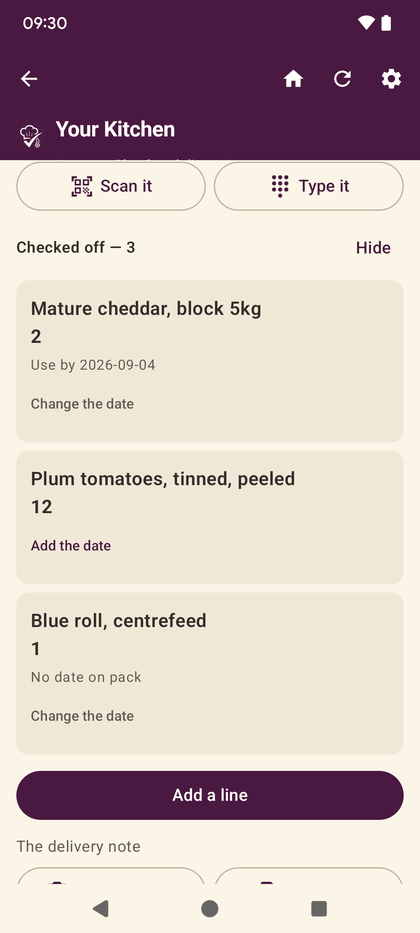
A pack with no date is a real answer
One tap. “No date on pack” is recorded as a fact, which is a different thing from nobody having looked — and it is the difference that matters if anyone ever asks.
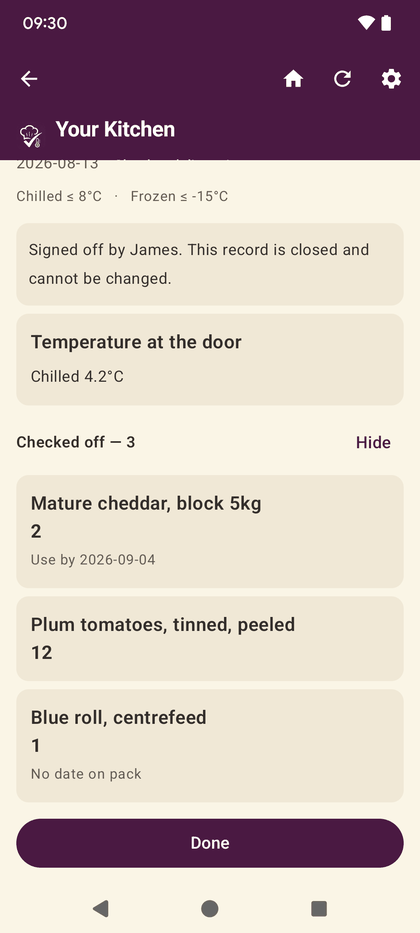
Sign it off
The supplier is required here, and only here. Once it is signed off it is closed — the record says what arrived, what did not, and who checked it.
That record is exportable on every plan, including the free one.